 FastOCR
Choose, drop, or capture
Open a picture, drop it on the window, read the clipboard, or drag out a region of the screen.
FastOCR reads the text in a picture. Recognition stays on your Mac, and the image is never uploaded.
Download on the Mac App Store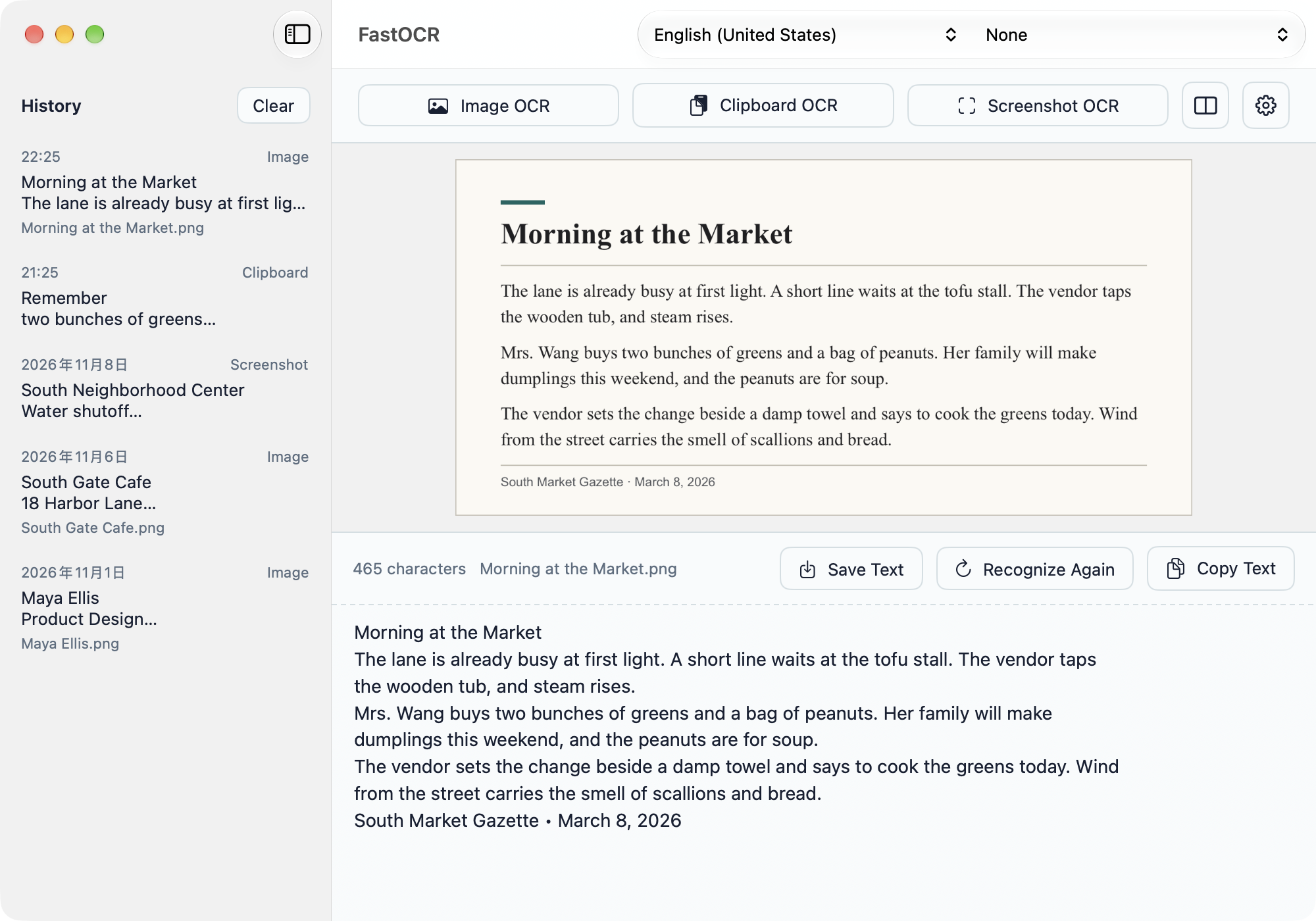
Built for screenshots, scans, chats, and photos of notes.
Open a picture, drop it on the window, read the clipboard, or drag out a region of the screen.
In Finder, use the Services menu and choose Open with FastOCR.
The text sits with the image. Change it, copy it, or save it as a text file.
FastOCR lives in the menu bar. Click its icon to open the window, or start an OCR right from the menu.
Recognize Simplified and Traditional Chinese, English, Japanese, Korean, and dozens more, including German, French, Spanish, Russian, Arabic, Hindi, and Thai.
Images and results stay in the app’s local folder. Nothing is uploaded.